Review business performance
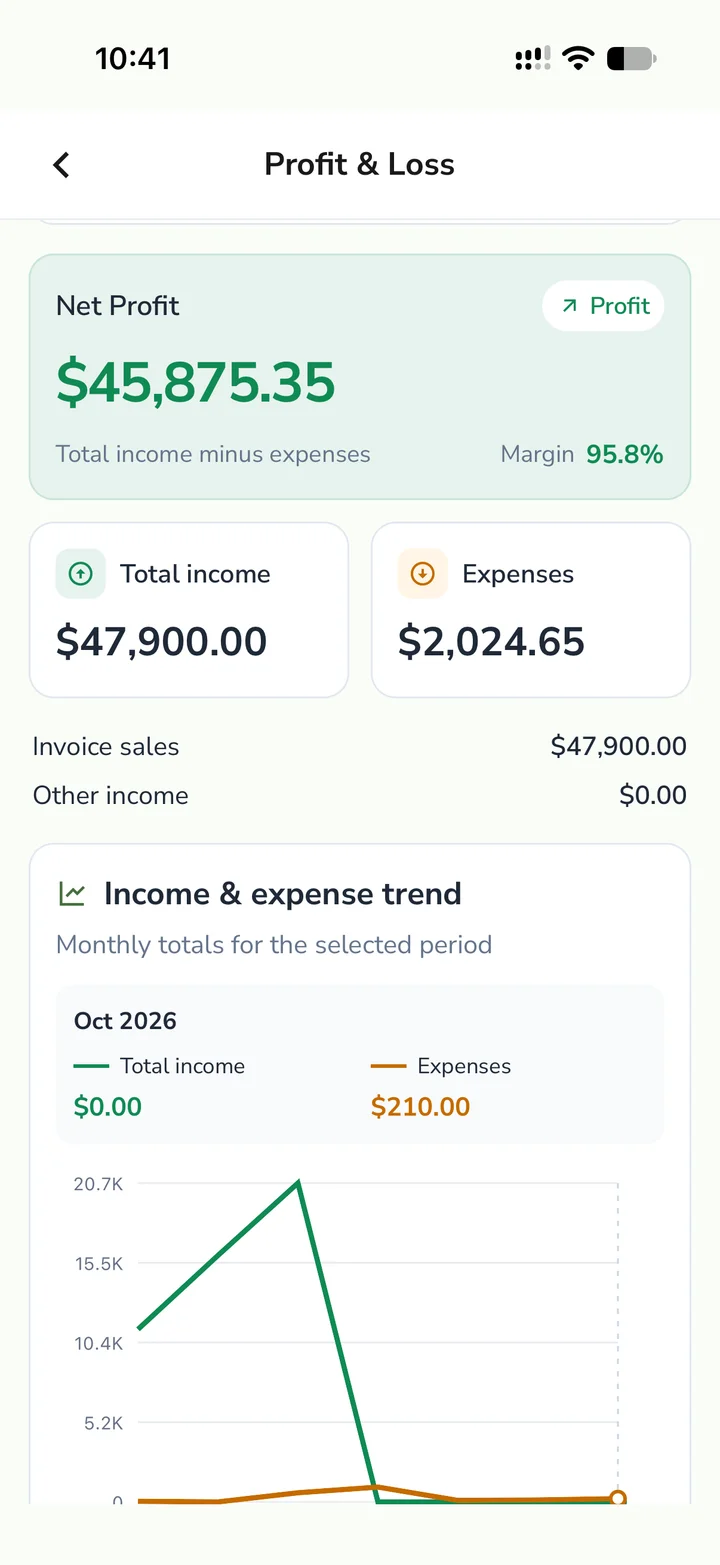
Use profit and loss to review income, expenses, net profit and monthly trends for the selected period.
BUSINESS REPORTS
Use your saved invoices, expenses and income to review the business for a chosen period. Start with Business Pulse, then open profit and loss, cash flow, outstanding balances or tax summaries to check the figures behind the overview.
What you can do
Use profit and loss to review income, expenses, net profit and monthly trends for the selected period.
Use Cash Flow when you need to review payment movement. Open Outstanding to follow unpaid invoices and pending expenses.
Generate supported GST or VAT summaries from the saved records and export available reports for review with your accountant.
How it works
A business can issue an invoice in one period and receive its payment in another. Use invoice status and Outstanding to follow that balance, and Cash Flow to review when money moved. Business Pulse brings sales, other income and expenses into one overview. Select the same business and reporting period when comparing figures.
Select the workspace and reporting period you want to review. Confirm that invoices, expenses and other income for that period have been entered.
Review profit and loss for the business result, Cash Flow for received and paid amounts, and Outstanding for balances still due.
Open the invoice, expense or income entry behind a figure that needs checking. Correct the record and review the report again before exporting.
FAQ
BizBeat includes profit and loss, cash flow, outstanding balances and supported GST and VAT report summaries. Check the reports and plan available to your account for export options and limits.
Business Pulse shows sales plus other income minus expenses for a period. Cash Flow focuses on money actually received and paid, so the totals can differ when invoices or expenses are still unpaid.
Yes. Review invoice and expense payment status in the underlying lists and use Outstanding to review balances that still need attention.
BizBeat can generate GSTR-1 and GSTR-3B summaries from saved records and export PDFs for review. Check the figures with your accountant and use your usual process to file returns.
Explore BizBeat
Expense Tracker
Track business expenses by category, vendor, and payment method. Capture receipts, manage recurring costs, and view spending alongside income in BizBeat.
Explore →GST Invoicing
Create GST invoices, apply tax details, and generate GSTR-1 and GSTR-3B summaries with PDF export in BizBeat for Indian small businesses.
Explore →Income Tracking
Track business income beyond invoice sales, organise receipts by payer and category, and distinguish received from planned amounts with BizBeat.
Explore →