Set the billing interval
Choose weekly, monthly, quarterly or yearly billing, set the first run date and add an end date when the engagement has a fixed term.
REPEAT BILLING
Set up a billing schedule for the work you do again each week, month, quarter or year. Save the customer, items, start date and payment terms once, then follow the generated invoices and their payment status in BizBeat.
What you can do
Choose weekly, monthly, quarterly or yearly billing, set the first run date and add an end date when the engagement has a fixed term.
Save the customer, invoice prefix, line items, currency, notes and payment terms in the recurring invoice setup.
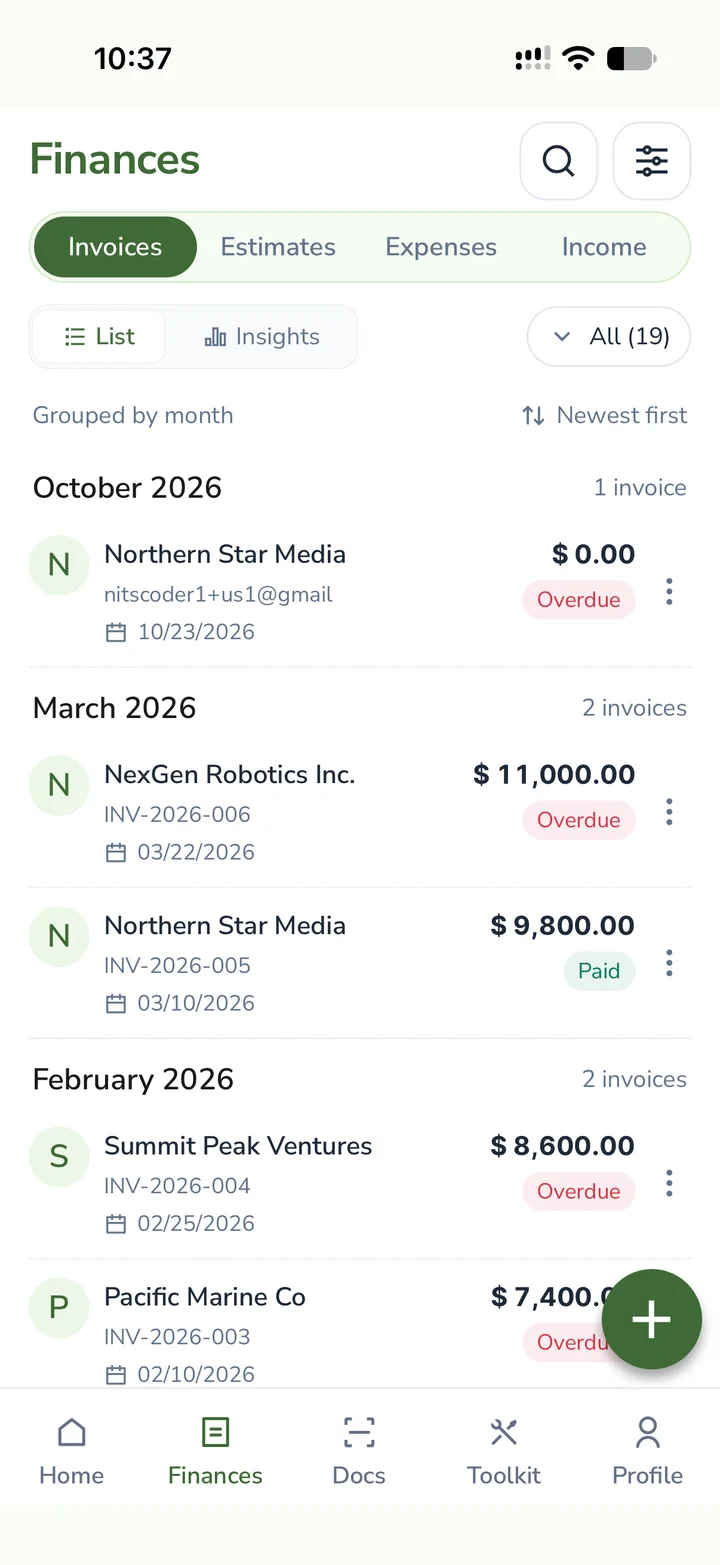
Review the invoices generated for each period and track paid, pending and overdue amounts through your invoice list and outstanding reports.
How it works
Recurring invoices suit repeat work such as maintenance, consulting retainers and regular services. Confirm the frequency, price and payment terms with your customer before setting the schedule. Review the setup when the scope or price changes. Creating an invoice records the amount billed, while a payment record shows what has been received.
For a monthly maintenance retainer, select the client and add the service, quantity, price and applicable tax details.
Choose monthly billing, the first invoice date and the payment terms you agreed with the customer. Add an end date when needed.
Check each generated invoice and follow its payment status. Record payments when received and review outstanding balances for the period.
FAQ
You can choose weekly, monthly, quarterly or yearly billing. Set the first run date and an optional end date in the recurring invoice form.
Yes. Select your client, add the agreed services and prices, choose the interval and set the payment terms. Review the generated invoices as the work continues.
An invoice records a charge to the customer. Track the payment separately so received money and outstanding balances reflect the actual payment status.
Open the BizBeat pricing page and the plan available to your account to review included features and limits before setting up your workflow.
Explore BizBeat
Invoice App
Create and share PDF invoices, convert estimates, track overdue payments and set up recurring billing. Try BizBeat on iPhone, Android and web with a free plan.
Explore →Income Tracking
Track business income beyond invoice sales, organise receipts by payer and category, and distinguish received from planned amounts with BizBeat.
Explore →Business Reports
Review profit and loss, cash flow, unpaid invoices, pending expenses and tax summaries from saved business records in BizBeat on mobile and web.
Explore →